
eCalcuBox
Your Engineering Calculator Box. Built for all.
Version 1.2 • Released February 2026
Terms and Conditions
Please read the following terms carefully before downloading:
By downloading and installing the eCalcuBox app, you agree to the following terms:
- You agree not to modify, reverse engineer, decompile, or disassemble any part of this application.
- You agree not to reproduce, distribute, resell, or sublicense the app to any third party.
- You understand that this app is provided "as is" without any warranties.
- You accept responsibility for any data charges or fees incurred through the use of this app.
- You confirm that you are at least 18 years of age and legally eligible to use this service.
Note: Since this app is not available on Google Play, it can only be downloaded directly from our official website.
File size: ~86.6 MB • Android 9.0 or above required
Scan QR code to download on your phone
Installation Instructions
Tap "Accept & Download" after reading and accepting the terms above.
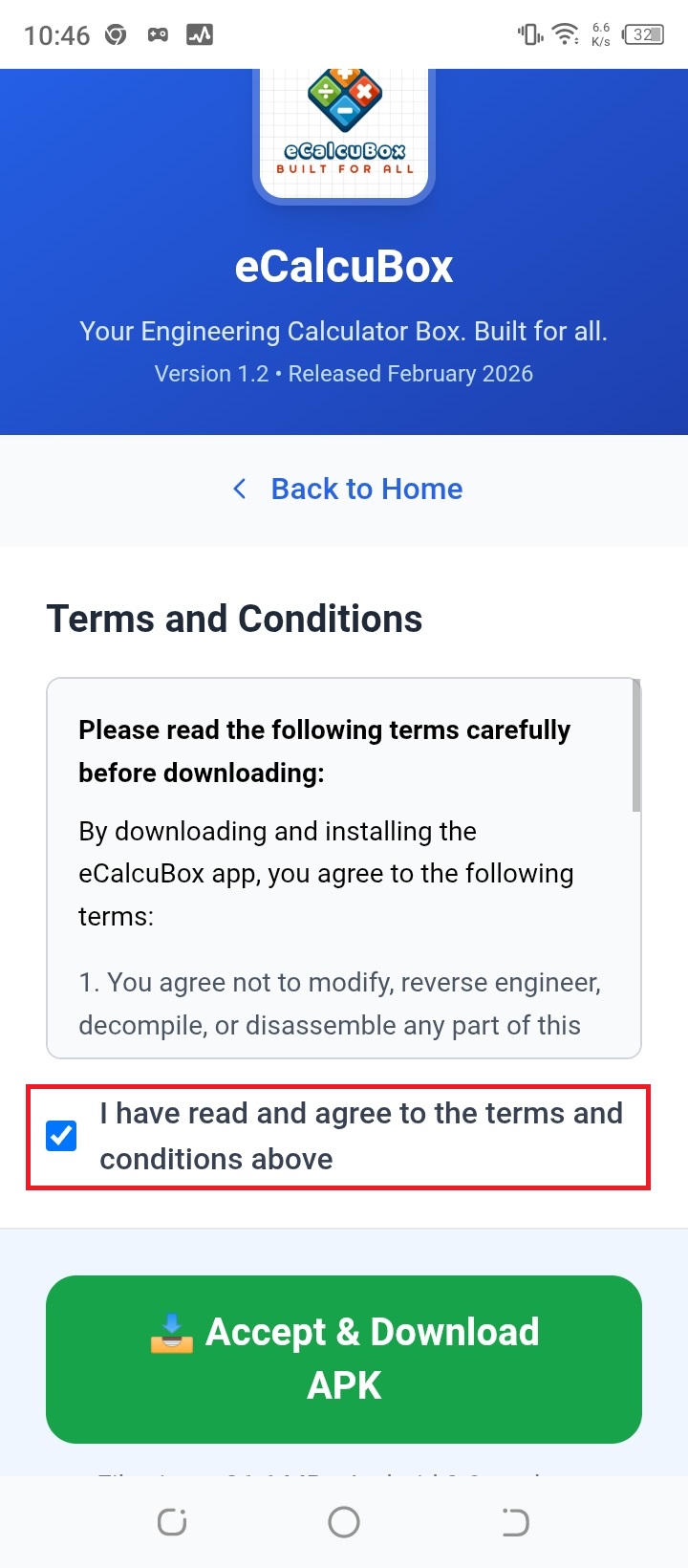
Tap "Download" to start downloading the APK file to your device.
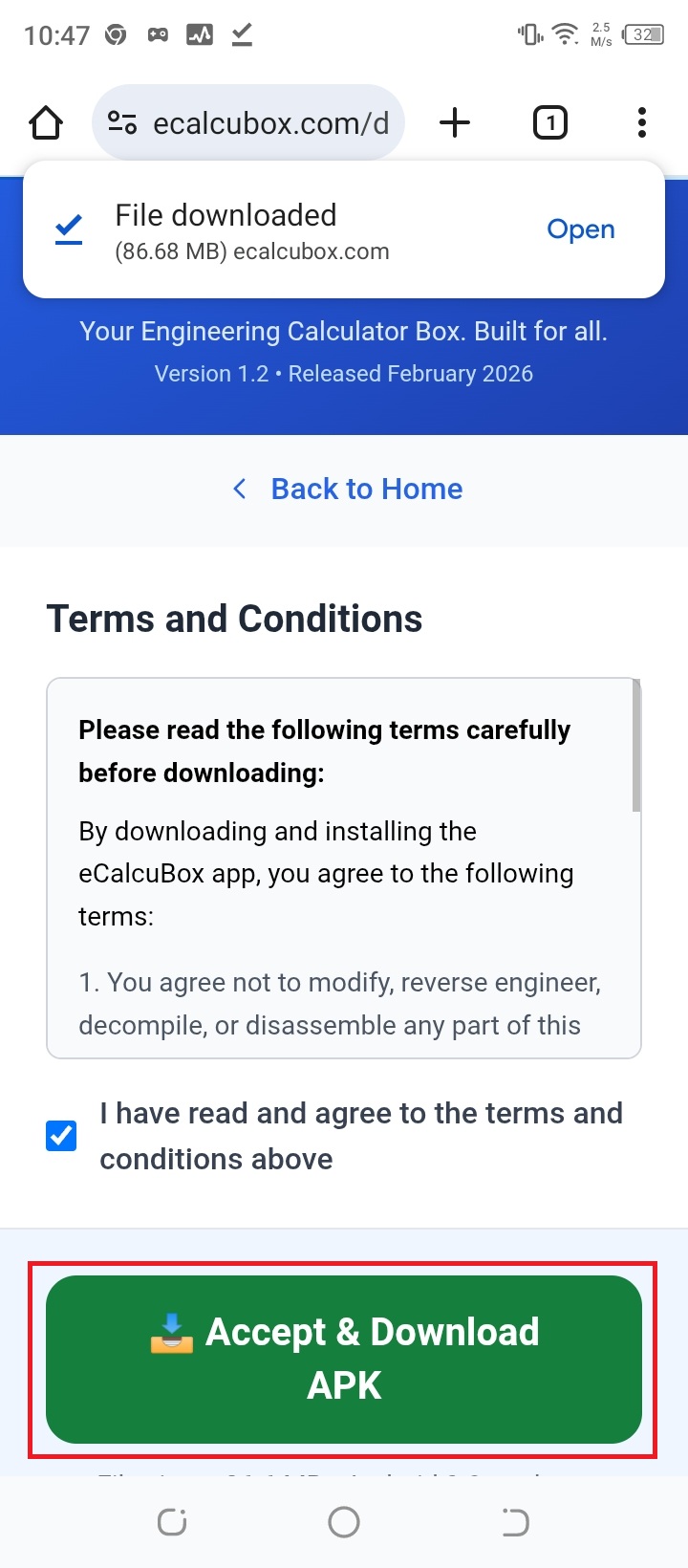
After the download is completed, tap your browser's menu icon, then tap "Downloads" to access your download folder.
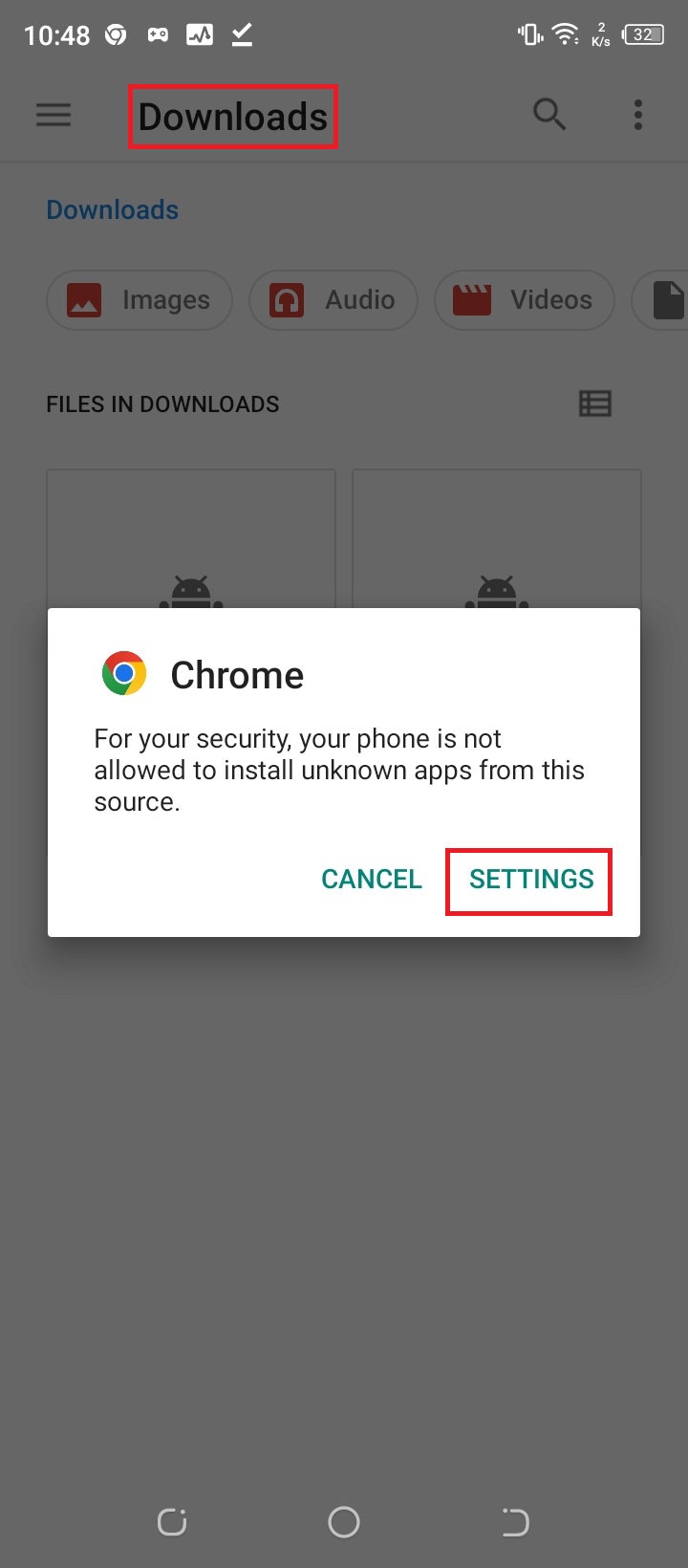
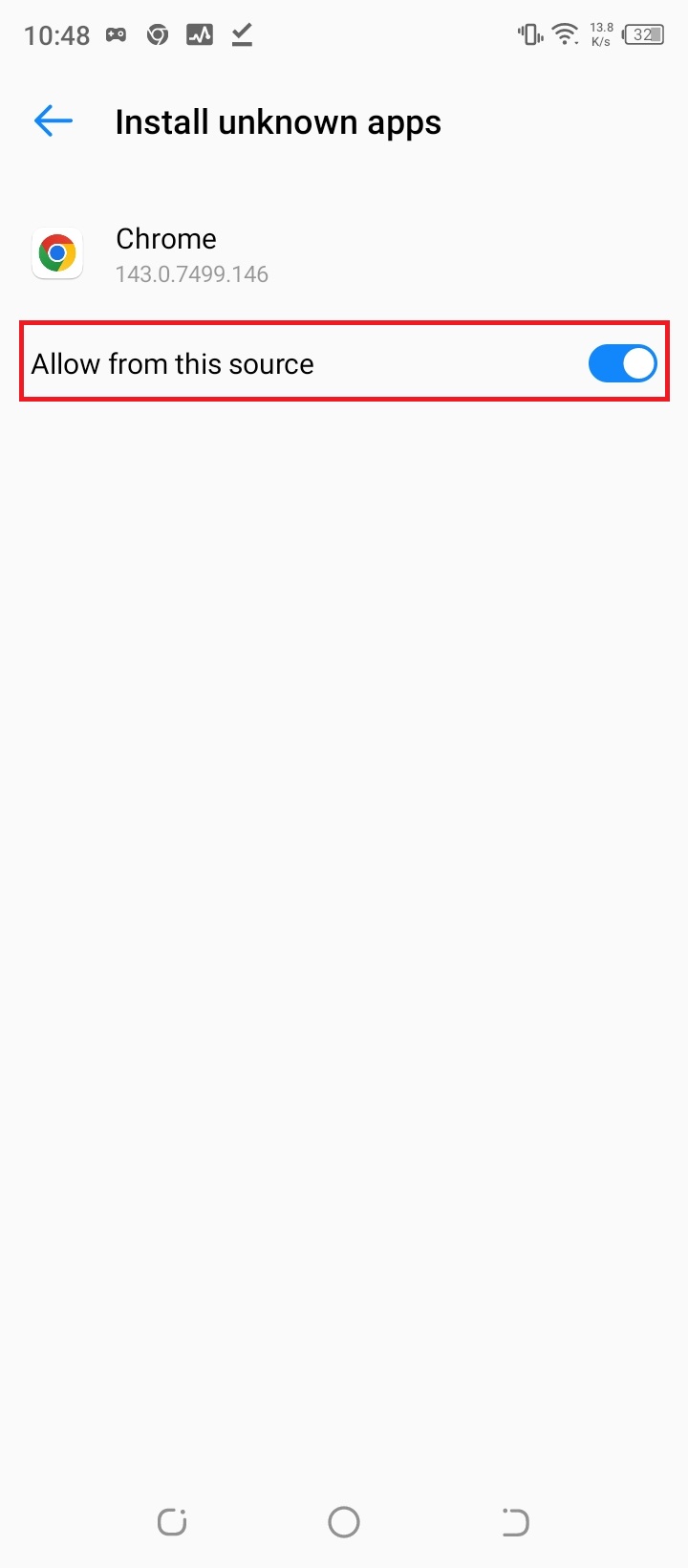
Select the downloaded APK file. If prompted, go to Settings → Apps → Special app access → Install unknown apps and allow installation for your browser.
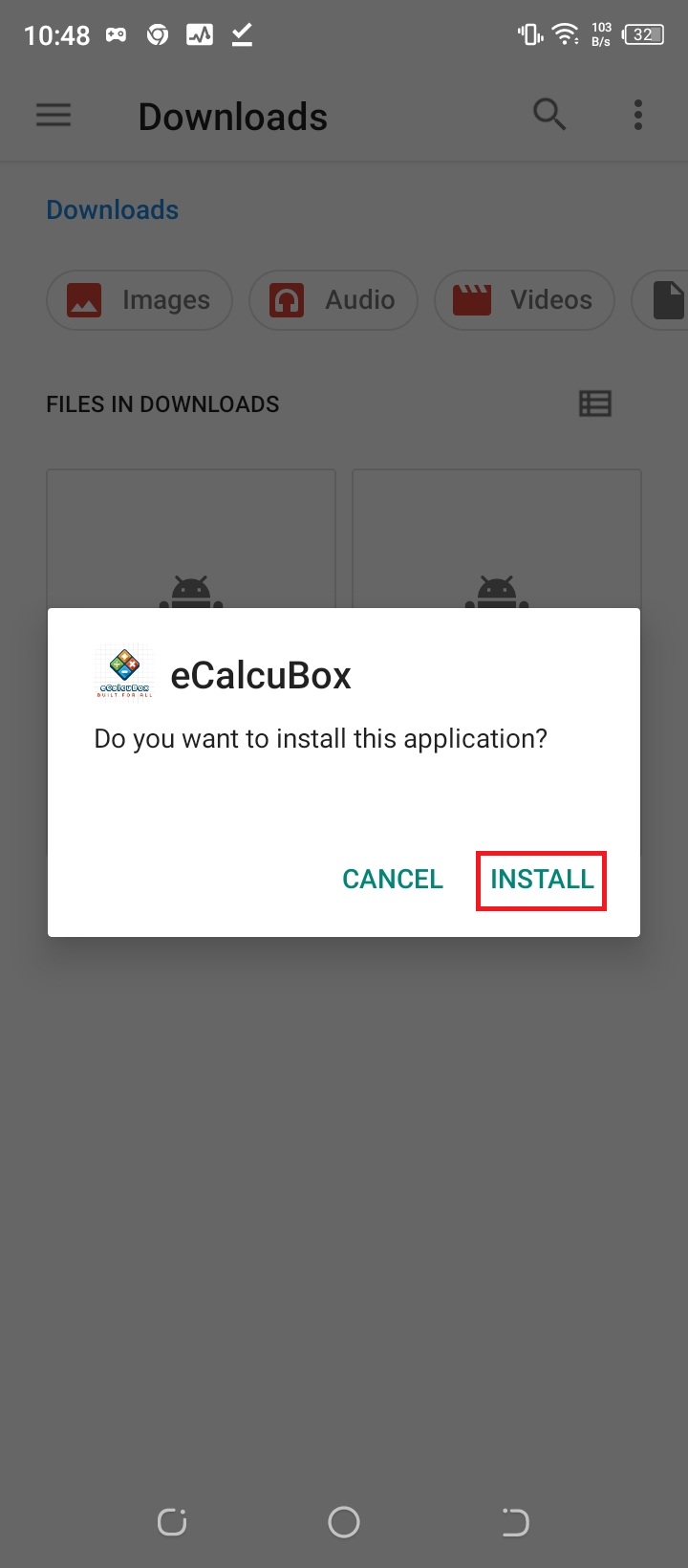
Tap "Install" or "Update" to install or update the app on your device.
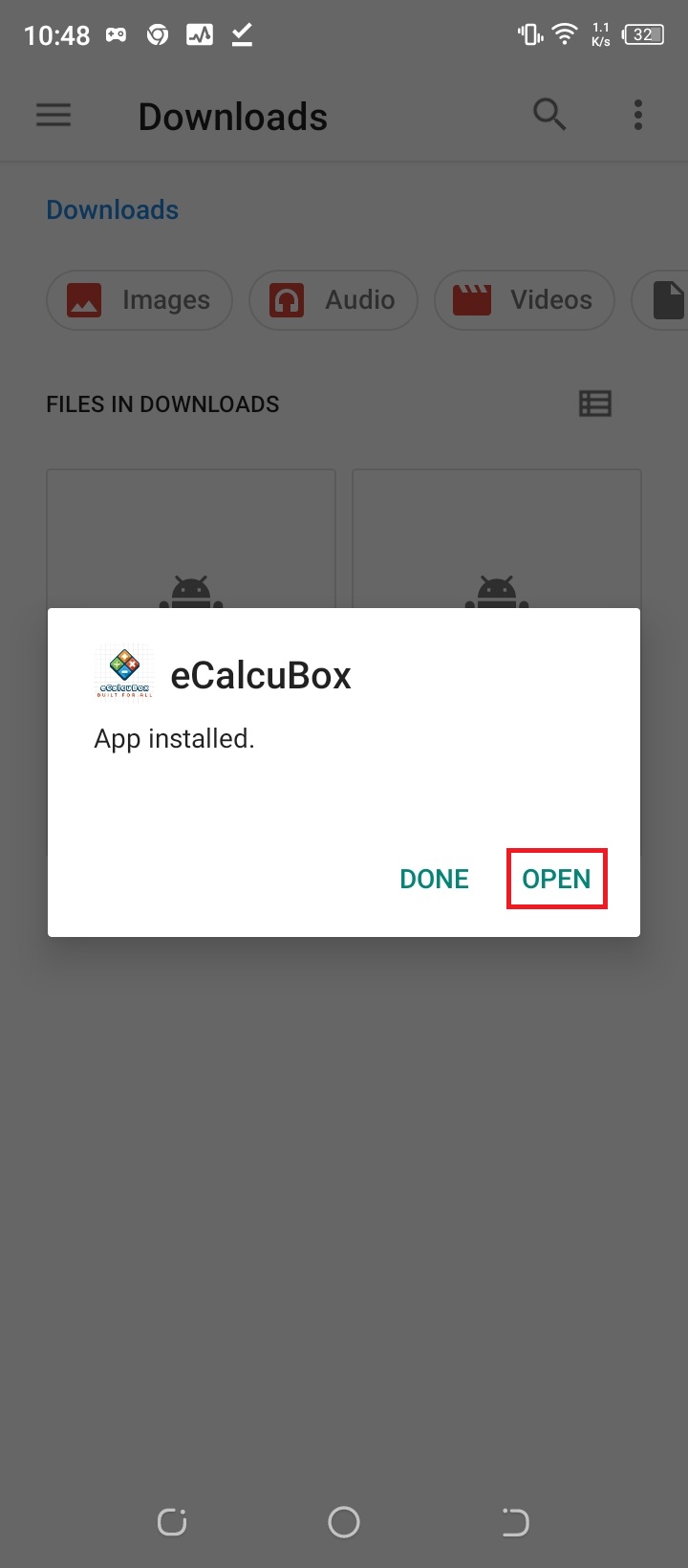
Tap "Open" to launch the app after installation is completed. You can also find it in your app drawer.
Why is this safe?
VirusTotal Security Scanning
We scan every build with tools like VirusTotal before release to ensure no malware or viruses are present.
No Third-Party Modifications
This APK comes directly from our official site with no third-party modifications. You always get the authentic, unmodified version.
Automatic Updates
We can add an in-app updater in future versions. For now, please re-download new versions from our official website when updates are available.
Questions or Issues?
We're here to help! If you encounter any problems during download or installation, please don't hesitate to contact us.
Important Remarks
- • Data transmission or browsing fees may be charged by your mobile service provider. Please contact your provider for details.
- • Since this app is not available on Google Play, the eCalcuBox Android app can only be downloaded from our official website.
- • Keeping apps updated on the latest OS devices gives you access to new features while also improving app performance and security.
- • For security tips and best practices, please click here.
Downloaded from the official ecalcubox.com